
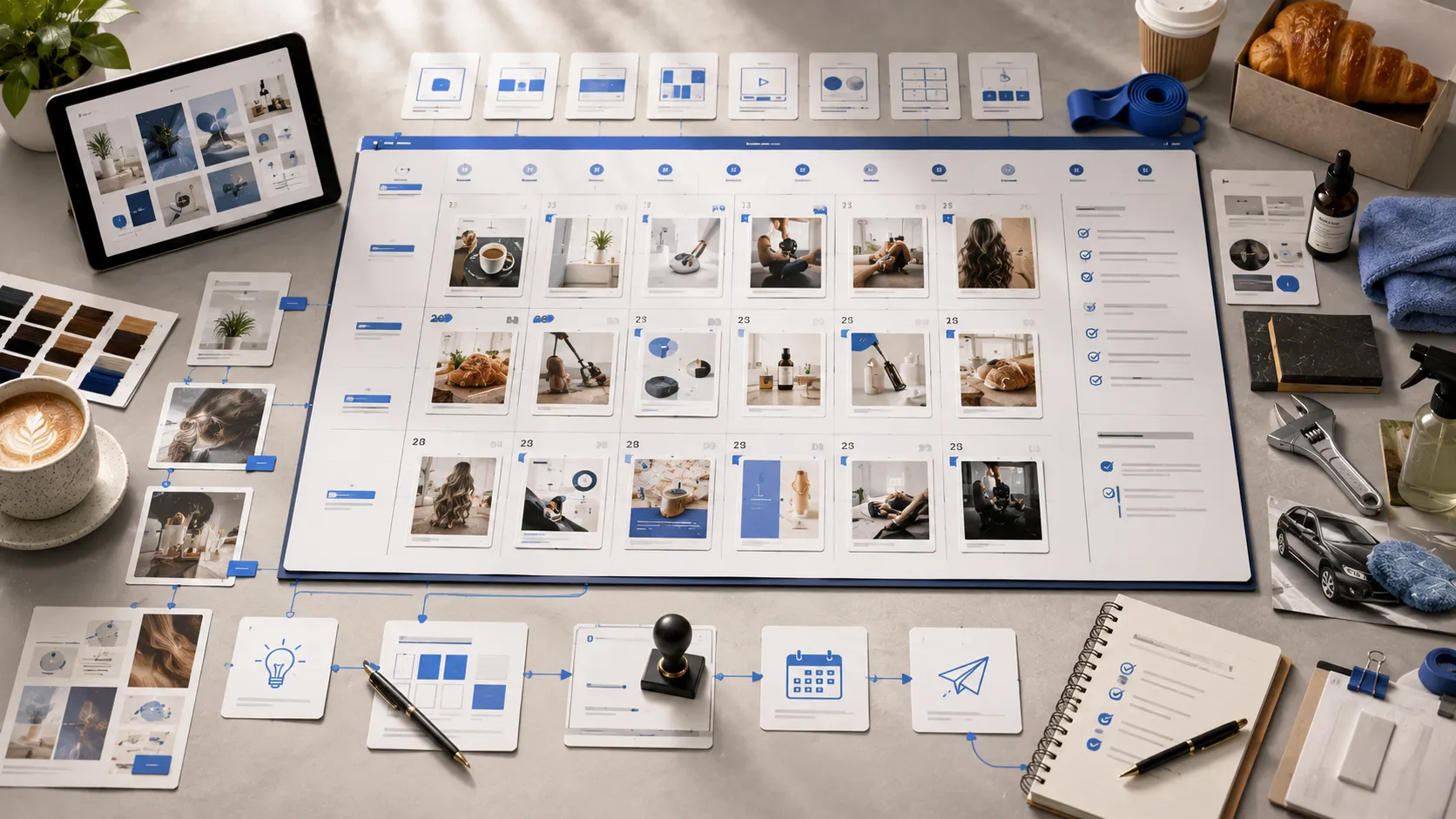

Posting consistently on social media can help a business stay visible, build customer trust, and generate more inquiries. However, consistency becomes difficult when every post is created at the last minute.
Without a clear plan, businesses often repeat the same promotions, miss important seasonal opportunities, publish irregularly, or stop posting when daily operations become busy. A social media content calendar helps prevent these problems by organizing upcoming posts before they need to be published.
A content calendar is more than a list of dates. It provides a structured view of what will be posted, where it will be published, what business goal it supports, and what materials are required to create it.
For local businesses such as salons, restaurants, cafés, bakeries, gyms, skincare studios, plumbers, HVAC companies, roofing contractors, cleaning companies, and car washes, a well-planned calendar can turn social media into a manageable marketing system.
This guide explains how to create a practical social media content calendar that supports your business goals without making the process unnecessarily complicated.
What Is a Social Media Content Calendar?
A social media content calendar is a schedule of the content your business plans to publish across social platforms.
It usually includes information such as:
- Publication date
- Social media platform
- Post topic
- Content category
- Caption or key message
- Visual requirements
- Call to action
- Approval status
- Scheduling status
A simple calendar can be created in a spreadsheet, shared document, project management tool, or social media scheduling platform.
The format matters less than the information it contains. The calendar should make it easy to understand what is being created, what is ready for approval, and what has already been scheduled.
Why Your Business Needs a Content Calendar
A content calendar helps remove uncertainty from social media management.
Instead of asking what to post each day, your team can follow a prepared plan. This saves time and reduces the pressure to invent content at the last moment.
A structured calendar can help your business:
- Maintain a consistent posting schedule
- Balance promotional and educational content
- Prepare seasonal campaigns in advance
- Avoid repeating the same topic too frequently
- Coordinate designs, captions, and approvals
- Adapt content for different platforms
- Track which posts have been scheduled
- Maintain consistent branding and messaging
It also allows you to identify gaps before they become a problem. If an entire month contains only promotional posts, you can add educational tips, customer reviews, or behind-the-scenes updates before the content is published.
Step 1: Define Your Social Media Goals
Before selecting post topics, decide what your business wants social media to accomplish.
Different goals require different types of content.
Your goals may include:
- Increasing local brand awareness
- Generating appointment inquiries
- Promoting specific services
- Attracting website visitors
- Building customer trust
- Encouraging repeat purchases
- Increasing quote requests
- Supporting a product launch
- Improving customer engagement
- Promoting seasonal offers
Avoid trying to achieve every goal with every post. A single post should usually have one primary purpose.
For example, a customer testimonial may focus on trust, while an appointment availability post may focus on immediate bookings. An educational post may build expertise without directly asking for a sale.
Defining goals first helps ensure that your calendar supports business growth instead of simply filling your social media feed.
Step 2: Identify Your Target Audience
Your content should be created for the customers your business wants to attract.
Consider who they are, what problems they experience, what questions they ask, and what information they need before making a purchase.
A local skincare studio may target customers interested in treatment results, preparation, aftercare, and appointment availability. An HVAC company may need to reach homeowners concerned about energy costs, system maintenance, indoor comfort, and emergency repairs.
Understanding your audience helps you select relevant topics.
Ask questions such as:
- What problems bring customers to our business?
- What prevents them from booking or purchasing?
- What questions do they ask before choosing us?
- Which services do they misunderstand?
- What results are they hoping to achieve?
- What seasonal needs affect their decisions?
The answers can provide several weeks of useful content ideas.
Step 3: Choose the Right Social Media Platforms
Your business does not necessarily need to be active on every social media platform.
Select platforms based on where your target customers spend time and what type of content your business can produce effectively.
Instagram is useful for visual posts, carousels, short videos, Stories, product displays, and service results. Facebook can support local community updates, offers, events, and customer communication. TikTok is suitable for short-form demonstrations, quick tips, transformations, and behind-the-scenes content.
LinkedIn can help businesses communicate professional updates, partnerships, hiring announcements, company milestones, and industry knowledge. Google Business Profile can be used for local service updates, business photos, offers, and announcements that appear alongside local search information.
Your content calendar should include a platform column so each post has a clear destination.
One core idea may be adapted for multiple platforms, but the format and wording should match how people use each channel.
Step 4: Decide How Often You Can Post Consistently
A realistic posting schedule is more valuable than an ambitious schedule that your business cannot maintain.
You do not need to publish several times every day to build an effective presence. The appropriate frequency depends on your industry, audience, available resources, and marketing goals.
Some businesses may publish three times a week. Others may need daily content because products, inventory, offers, or appointment availability change frequently.
Consider:
- How much useful content your business can provide
- How quickly information changes
- How many platforms you want to manage
- Whether you have professional design support
- How much time is available for approvals
- Whether posts will be scheduled in advance
Once you choose a frequency, add the planned publishing dates to your calendar before assigning topics.
This creates a clear framework for the month.
Step 5: Create Your Main Content Categories
Content categories, sometimes called content pillars, are the main themes your business will post about regularly.
Using categories makes planning faster and prevents the feed from becoming repetitive.
Useful content categories for local businesses include:
Service and Product Content
These posts explain what your business sells. They may include service spotlights, product highlights, package comparisons, new launches, and process explanations.
Educational Content
Educational posts answer common questions and provide practical advice. They help demonstrate expertise and can encourage followers to save or share the content.
Trust-Building Content
This category includes customer testimonials, project results, reviews, certifications, team introductions, and behind-the-scenes processes.
Promotional Content
Promotional posts highlight limited-time offers, seasonal packages, appointment openings, discounts, events, or new customer incentives.
Engagement Content
These posts encourage conversation through relevant questions, polls, comparisons, and customer preference requests.
Community and Business Updates
Community posts may include partnerships, local events, business milestones, expanded service areas, hiring updates, or changes to opening hours.
Your calendar should contain a balanced combination of these categories.
Step 6: Build a List of Content Ideas
Once your categories are defined, create a list of specific post ideas under each one.
For a salon, the list may include:
- Hair coloring service spotlight
- Customer transformation
- Weekly appointment availability
- Haircare tip
- Stylist introduction
- Seasonal treatment package
- Frequently asked question about coloring
- Customer testimonial
For a cleaning company, ideas may include:
- Standard cleaning versus deep cleaning
- Before-and-after result
- Move-out cleaning checklist
- Areas served
- Customer review
- Cleaning team preparation
- Seasonal cleaning reminder
- Request-a-quote post
For a bakery, the calendar may feature:
- Fresh product of the week
- Behind-the-scenes preparation
- Custom cake ordering process
- Seasonal collection
- Customer celebration photo
- Pre-order deadline
- Storage tip
- Limited weekend availability
Keep an ongoing idea bank. Whenever a customer asks a useful question or your business introduces something new, add it to the list for a future month.
Step 7: Add Important Business Dates
Your calendar should include dates that affect customer behavior or business operations.
These may include:
- Holidays
- Seasonal changes
- Product launches
- Service promotions
- Local events
- Business anniversaries
- Booking deadlines
- Limited availability
- Community activities
- Planned closures
Add these dates before filling the remaining calendar spaces.
Seasonal posts usually need to be published before the occasion itself. A holiday order announcement, for example, should give customers enough time to make a purchase.
Planning early also gives your team time to prepare professional designs, confirm offer details, and revise content before it goes live.
Step 8: Assign a Purpose to Every Post
Every post should have a clear reason for being included.
Add a goal or purpose column to the calendar. A post may be intended to:
- Educate
- Build trust
- Generate inquiries
- Promote a service
- Increase engagement
- Drive website visits
- Encourage bookings
- Announce an update
This step helps prevent content from becoming decorative but ineffective.
For example, a visually attractive photo without context may receive attention but fail to explain the business. Adding a clear message and call to action can make the same post more useful.
Not every post needs to sell directly, but each one should contribute to the broader customer journey.
Step 9: Write the Main Message and Call to Action
Before designing a post, define its main message.
The message should be simple enough to understand quickly. Trying to include too many ideas in one post can make both the visual and caption confusing.
A service spotlight may focus on one benefit. A testimonial should emphasize one customer experience. An educational post should answer one clear question.
Next, choose an appropriate call to action.
Examples include:
- Book an appointment
- Request a quote
- Send us a message
- Visit our website
- Call for availability
- View our services
- Save this tip
- Share with someone who needs it
- Place your order
- Contact our team
The call to action should match the purpose of the post. An educational post may ask people to save the information, while an availability post should encourage an immediate booking.
Step 10: Plan the Visual Requirements
A content calendar should indicate what type of visual each post needs.
Possible formats include:
- Single-image post
- Carousel
- Short-form video
- Customer review graphic
- Before-and-after design
- Product photograph
- Service infographic
- Story update
- Google Business Profile image
- LinkedIn business graphic
Add notes about required business materials, such as product photos, customer-approved images, logos, brand colors, prices, dates, or service details.
Planning these requirements early prevents delays.
For example, a before-and-after post cannot be completed if the business has not collected both photographs. A promotional design cannot be finalized until the offer conditions and deadline are confirmed.
Step 11: Adapt Each Idea for the Selected Platform
A calendar can reuse one topic across multiple platforms, but the post should be adapted rather than copied without consideration.
An educational topic might become:
- A visual carousel on Instagram
- A community-focused post on Facebook
- A quick demonstration video on TikTok
- A professional insight post on LinkedIn
- A concise service update on Google Business Profile
The central message can remain consistent while the format changes.
Your calendar should clearly identify whether the post will be published on one platform or adapted across several.
This makes production and scheduling more organized.
Step 12: Create an Approval Process
Content should be reviewed before it is scheduled.
A clear approval process reduces errors and prevents outdated offers, incorrect prices, or inaccurate service details from being published.
Add a status column with stages such as:
- Idea
- In progress
- Ready for review
- Revisions requested
- Approved
- Scheduled
- Published
The person approving the content should check:
- Spelling and grammar
- Business contact information
- Dates and prices
- Offer conditions
- Service descriptions
- Image permissions
- Brand consistency
- Call to action
- Platform format
Feedback should be collected in one place whenever possible. Scattered revision instructions sent through several channels can cause confusion and delay publication.
Step 13: Schedule Approved Content in Advance
Once the content has been approved, schedule it for the planned date and platform.
Scheduling helps businesses remain active even during busy workdays.
It also reduces the risk of forgetting important posts or publishing seasonal promotions too late.
Before scheduling, confirm:
- The correct account is connected
- The format is supported
- The caption is complete
- Links are accurate
- The date and time are correct
- Required permissions are active
- The visual has the correct dimensions
Some content may still need to be published manually, particularly real-time updates or platform features with limited third-party scheduling support.
Keep this distinction visible in the calendar.
Step 14: Leave Space for Timely Updates
A content calendar should provide structure without becoming inflexible.
Businesses may need to share unexpected updates, last-minute availability, weather-related changes, new customer questions, or community news.
Avoid filling every possible publishing slot far in advance. Leave enough space to respond to current events that are relevant to your audience.
For example, a bakery may need to announce an unexpected batch of available products. An HVAC company may want to share advice during a sudden heatwave. A salon might publish a last-minute appointment opening.
These timely posts can be added without disrupting the overall content strategy.
Step 15: Review Performance and Improve the Next Calendar
At the end of the month, review how the content performed.
Do not judge success only by likes. The most useful measurement depends on the purpose of the post.
Consider:
- Direct messages
- Quote requests
- Appointment inquiries
- Website visits
- Phone calls
- Profile visits
- Saved posts
- Shares
- Comments
- Local search actions
Identify which topics and formats created meaningful customer activity.
If service comparison posts generated inquiries, include more of them next month. If customer testimonials received strong engagement, create a regular testimonial category.
You should also review what was difficult to produce. If a certain format repeatedly caused delays, adjust the process or prepare the required materials earlier.
A content calendar should improve over time based on real business experience.
Example of a Simple Weekly Content Plan
A local business posting four times per week could use this structure:
Monday: Educational tip or frequently asked question
Wednesday: Service or product spotlight
Friday: Customer review, result, or behind-the-scenes post
Sunday: Promotion, availability update, or direct call to action
The topics can change each week while the overall structure remains consistent.
This approach provides a balance between value, trust, service awareness, and conversion.
However, businesses should customize the calendar based on their industry rather than following the same formula permanently.
Common Content Calendar Mistakes to Avoid
One common mistake is filling the calendar entirely with promotional posts. Customers may lose interest when every update asks them to buy.
Another mistake is planning content without confirming whether the required images and business information are available.
Businesses should also avoid using the exact same design and caption on every platform without adapting the format.
Other mistakes include:
- Ignoring seasonal deadlines
- Publishing outdated offers
- Using inconsistent branding
- Skipping the approval stage
- Setting an unrealistic frequency
- Forgetting calls to action
- Failing to track scheduled posts
- Creating topics without a business goal
A simple, accurate calendar is more effective than a complicated system that the team does not use consistently.
How SocialPostExperts Can Help
Creating a monthly content calendar requires research, topic planning, graphic design, revisions, approvals, platform formatting, and scheduling.
For many local businesses, completing every stage internally takes time away from serving customers and managing daily operations.
SocialPostExperts provides custom social media post design and scheduling services for salons, restaurants, bakeries, gyms, skincare studios, plumbers, HVAC companies, roofing businesses, cleaning companies, car washes, and other local service providers.
Businesses can review the available content and scheduling solutions on the services page at https://socialpostexperts.com/services/ and compare monthly post bundles at https://socialpostexperts.com/pricing/.
For businesses with a specific number of platforms, campaigns, or monthly content requirements, a tailored estimate can be requested at https://socialpostexperts.com/get-a-quote/.
Final Thoughts
A social media content calendar gives your business a clear plan for what to publish, when to publish it, and why each post matters.
It helps replace rushed, inconsistent posting with a more organized process. By defining your goals, identifying content categories, planning important dates, preparing visuals, collecting approvals, and scheduling posts in advance, you can maintain an active presence without deciding what to post every day.
The calendar does not need to be complicated. It only needs to be clear, realistic, and connected to your business goals.
When content is properly planned and consistently published, social media becomes easier to manage and more valuable as a long-term marketing channel.